
| What | External API | CLI |
|---|---|---|
| Mail SSL status | GET /v1/ssl/domains/{domain_id}/mail (ssl:read) | panelica ssl mail status example.com |
| Issue / renew mail SSL | POST /v1/ssl/domains/{domain_id}/mail/issue (ssl:write) - 202, queued | panelica ssl mail issue example.com |
| One-click webmail URL | POST /v1/email-accounts/{email_id}/webmail-sso (email:write) | panelica email accounts webmail-login {email_id} --language en |
Availability: webmail login from panelica-server 1.0.551, mail SSL API/CLI from 1.0.552 (beta channel).
Base address:
Loading…
your-panel
Bash:
M=GET; P="/v1/ssl/domains/$DOMAIN_ID/mail"; B=""; TS=$(date +%s)
SIG=$(printf '%s' "$M$P$TS$B" | openssl dgst -sha256 -hmac "$API_SECRET" -hex | sed 's/^.*= //')
curl -s "https://panel.example.com:8443/api/external$P" \
  -H "X-API-Key: $API_KEY" -H "X-Timestamp: $TS" -H "X-Signature: $SIG"
Signature = HMAC-SHA256(secret, METHOD + PATH(with /v1 and query) + TIMESTAMP + BODY). DELETE bodies are not signed.
- Covers the mail hostname (mail.<domain> unless the admin set another) and webmail.<domain>.
- Issue returns 202; the backend issues it within seconds. Poll status until active or failed (DNS validation can take a few minutes).
- On failure, last_error contains the CA's exact message, and the next attempt is paused for 5 minutes ("try again in a few minutes").
- Also on the domain's SSL tab: Mail SSL Certificate card with Get certificate.
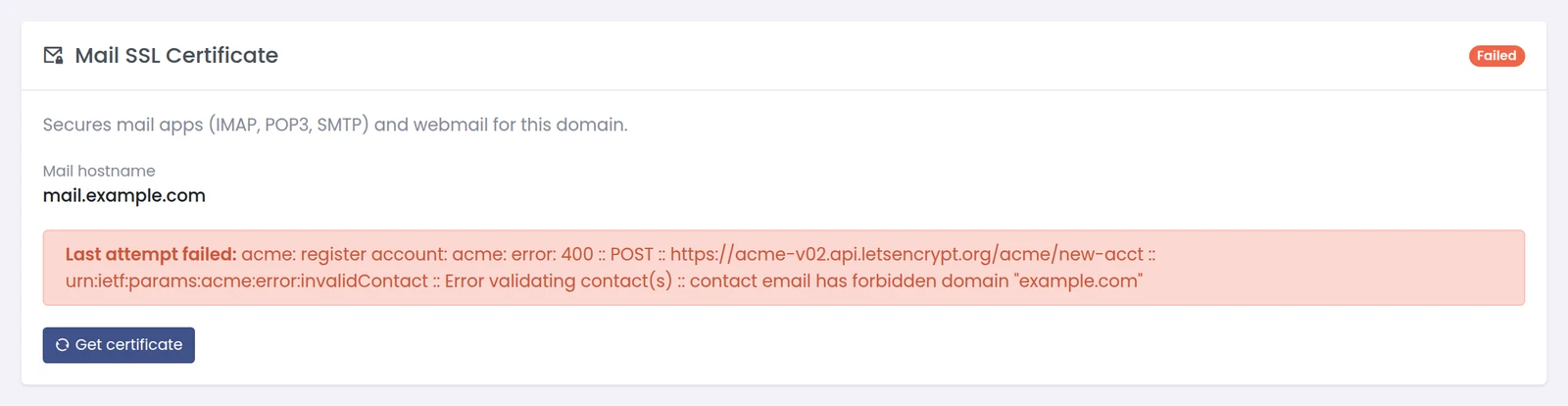
Example failure from a lab server using example.com names, which Let's Encrypt refuses.
Response:
Code:
{"data":{"email":"[email protected]","expires_in":60,"url":"https://panel.example.com:8443/webmail-sso#token=..."},"status":"success"}- Single use, valid 60 seconds - request it when the user clicks, redirect immediately.
- Token is in the #fragment, so it never reaches access logs or Referer headers.
- Logs in via the mail server's master identity: the mailbox password is never read or changed.
- Allowed for whoever may change that mailbox's password via the API.
Bash:
panelica configure --api-key=YOUR_KEY --api-secret=YOUR_SECRET --use-external
panelica --api-url https://panel.example.com:8443/api/external ssl mail status example.comFull tutorial with a provisioning flow: https://panelica.com/blog/mail-ssl-and-one-click-webmail-via-the-panelica-api-and-cli