
Sites slow down or return 504 errors while a backup runs? The backup is taking the whole disk. Low-resource mode puts a hard limit on how fast a backup may read and write the disk, so websites keep the rest.
Panel Settings > Backup > Low-resource mode > Backup disk limit. Choose a mode and save; the next backup uses it.
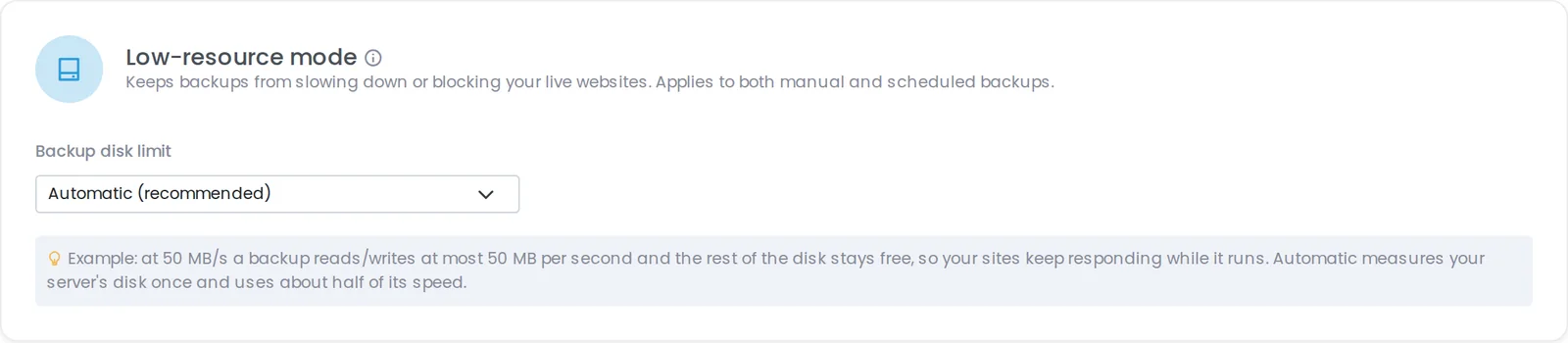
Panel Settings > Backup > Low-resource mode.
The archiver, compressor and database dump programs of a backup run inside a cgroup with a hard read/write limit (cgroup v2 io.max) on the disk that holds the panel's data. Unlike ionice, this is honoured whatever disk scheduler the server uses. If the server cannot apply the limit, the backup still runs as before - low-resource mode never makes a backup fail.
It covers manual and scheduled, full and incremental backups.
A limit makes the backup take longer. Minimum time just to read the data (before compression and uploads):
Servers that update keep low-resource mode Off, so backups run as fast as before until you choose a mode. New installations start with Automatic.
Recommendation: start with Automatic; if sites still struggle during backups, go to Balanced or Light; if backups no longer finish in their window, go to High or Custom.
Full article on the blog: https://panelica.com/blog/backups-that-dont-slow-down-your-websites-low-resource-mode
Panel Settings > Backup > Low-resource mode > Backup disk limit. Choose a mode and save; the next backup uses it.
Panel Settings > Backup > Low-resource mode.
- Automatic (recommended) - measures the backup disk once (a 128 MB test write) and allows about half of its speed, kept between 25 and 400 MB/s. Measured again every 14 days.
- Light - about 20 MB/s. Small VPSs with network storage and busy sites.
- Balanced - about 50 MB/s. A fixed, predictable middle ground.
- High - about 120 MB/s. Fast local disks where the backup window matters.
- Custom - any whole number from 1 to 10000 MB/s.
- Off - no limit (backups still run at low priority).
The archiver, compressor and database dump programs of a backup run inside a cgroup with a hard read/write limit (cgroup v2 io.max) on the disk that holds the panel's data. Unlike ionice, this is honoured whatever disk scheduler the server uses. If the server cannot apply the limit, the backup still runs as before - low-resource mode never makes a backup fail.
It covers manual and scheduled, full and incremental backups.
A limit makes the backup take longer. Minimum time just to read the data (before compression and uploads):
- 10 GB: ~9 min at 20 MB/s, ~3.5 min at 50 MB/s, ~1.5 min at 120 MB/s
- 50 GB: ~43 min, ~17 min, ~7 min
- 200 GB: ~2 h 50 min, ~68 min, ~28 min
Servers that update keep low-resource mode Off, so backups run as fast as before until you choose a mode. New installations start with Automatic.
Recommendation: start with Automatic; if sites still struggle during backups, go to Balanced or Light; if backups no longer finish in their window, go to High or Custom.
Full article on the blog: https://panelica.com/blog/backups-that-dont-slow-down-your-websites-low-resource-mode