
One Panelica panel (the master) can list, monitor and manage other Panelica servers (the nodes). Each node stays a full, independent Panelica: sites, mail and DNS keep running even if the master is offline. The master talks to each node over HTTPS with signed requests; no SSH is involved.
Availability: panelica-server 1.0.551 / panel-frontend 4.5.354 or later on the beta channel (Panel Settings > System Updates > Stable + Beta), on both master and nodes.
License: the master needs Enterprise (multi-server module); a node needs a paid license that includes server linking.
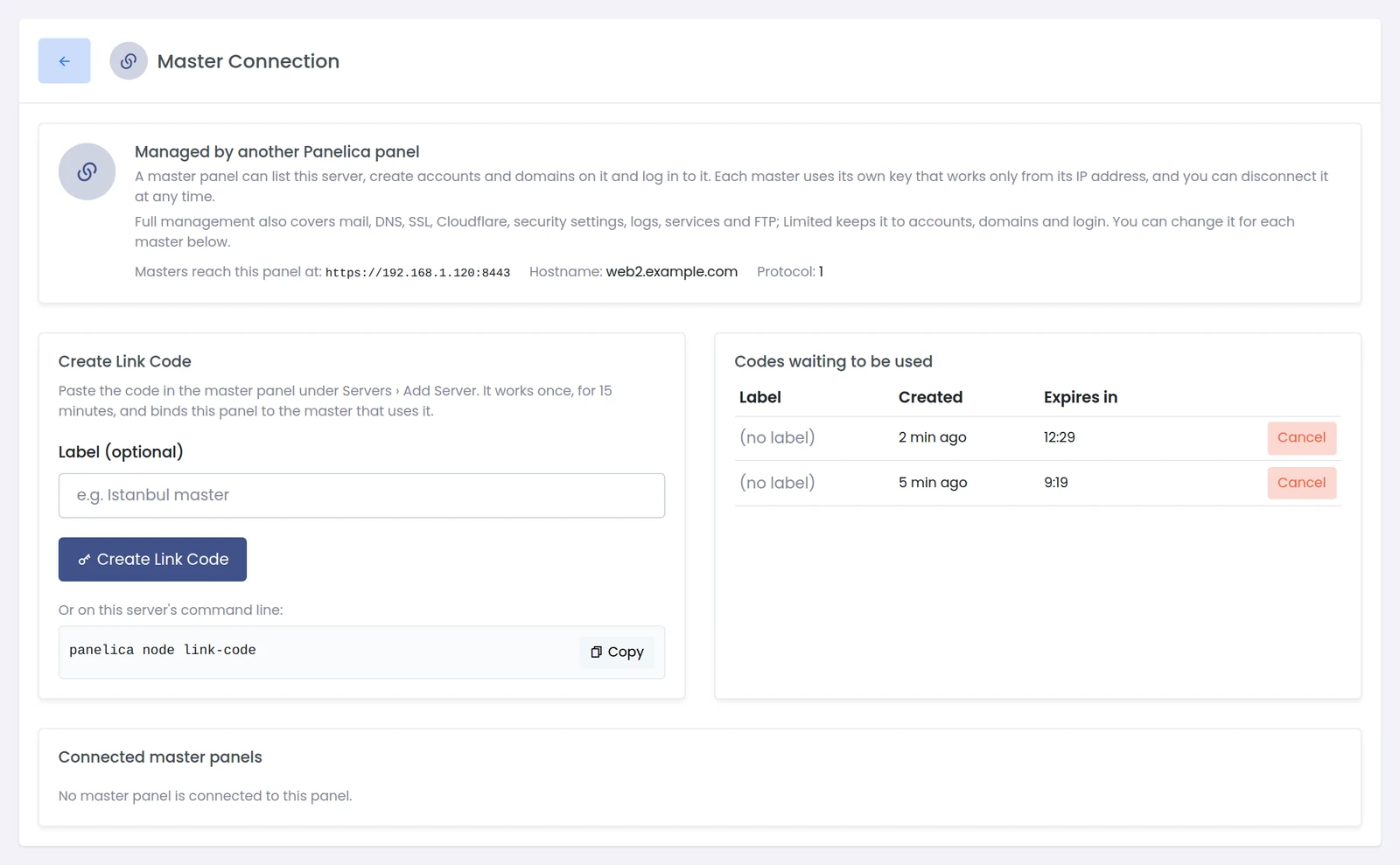
On the server you want to manage: Panel Settings > Master Connection > Create Link Code, or on its command line:
The code works once, for 15 minutes, and binds the node to the master that uses it.
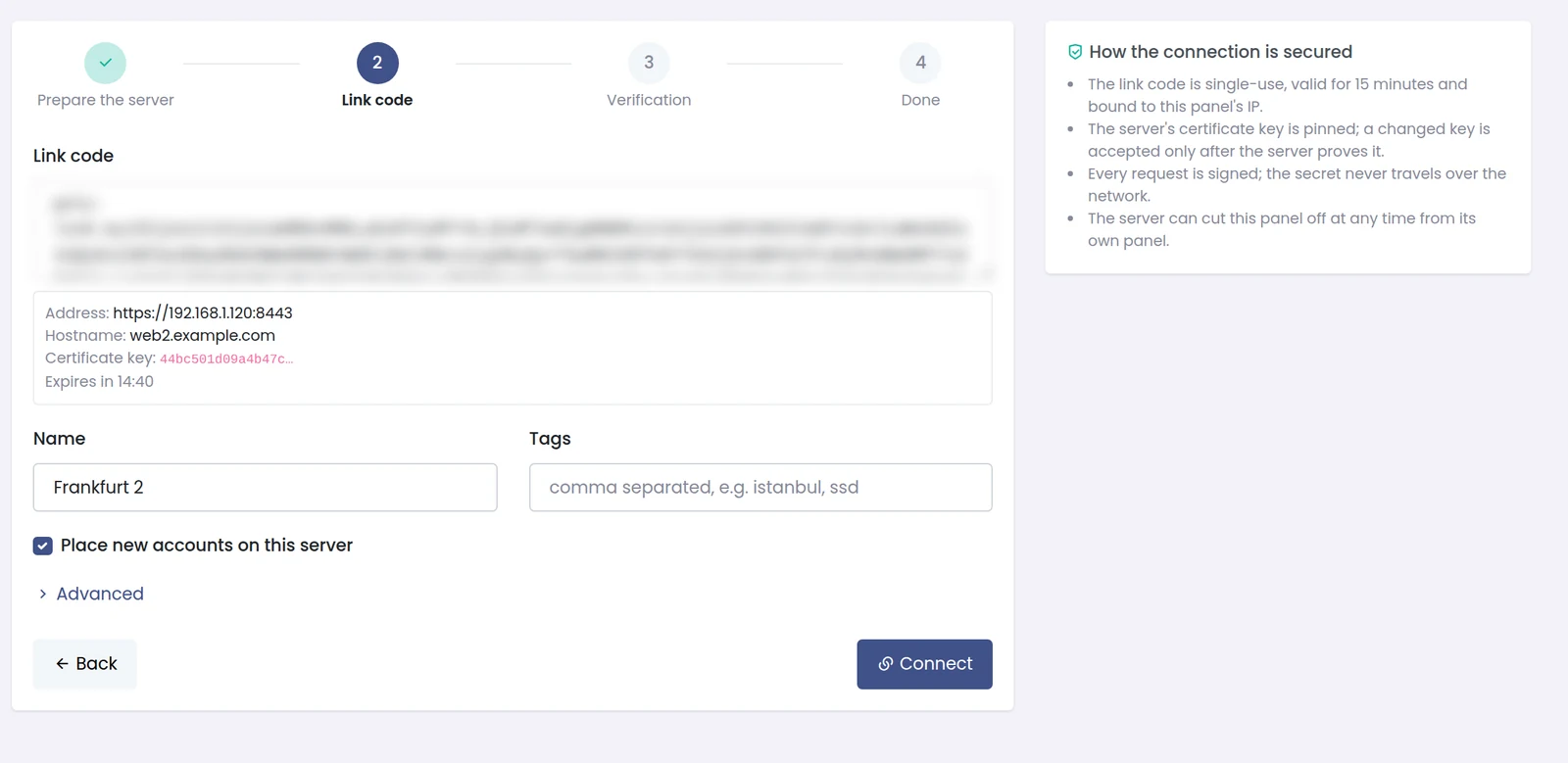
On the master: Servers > Add Server. Step 1 of the wizard reminds you to prepare the node; press Next, paste the code, set a name (and tags if you like) and choose whether new accounts may be placed on it. Press Connect.
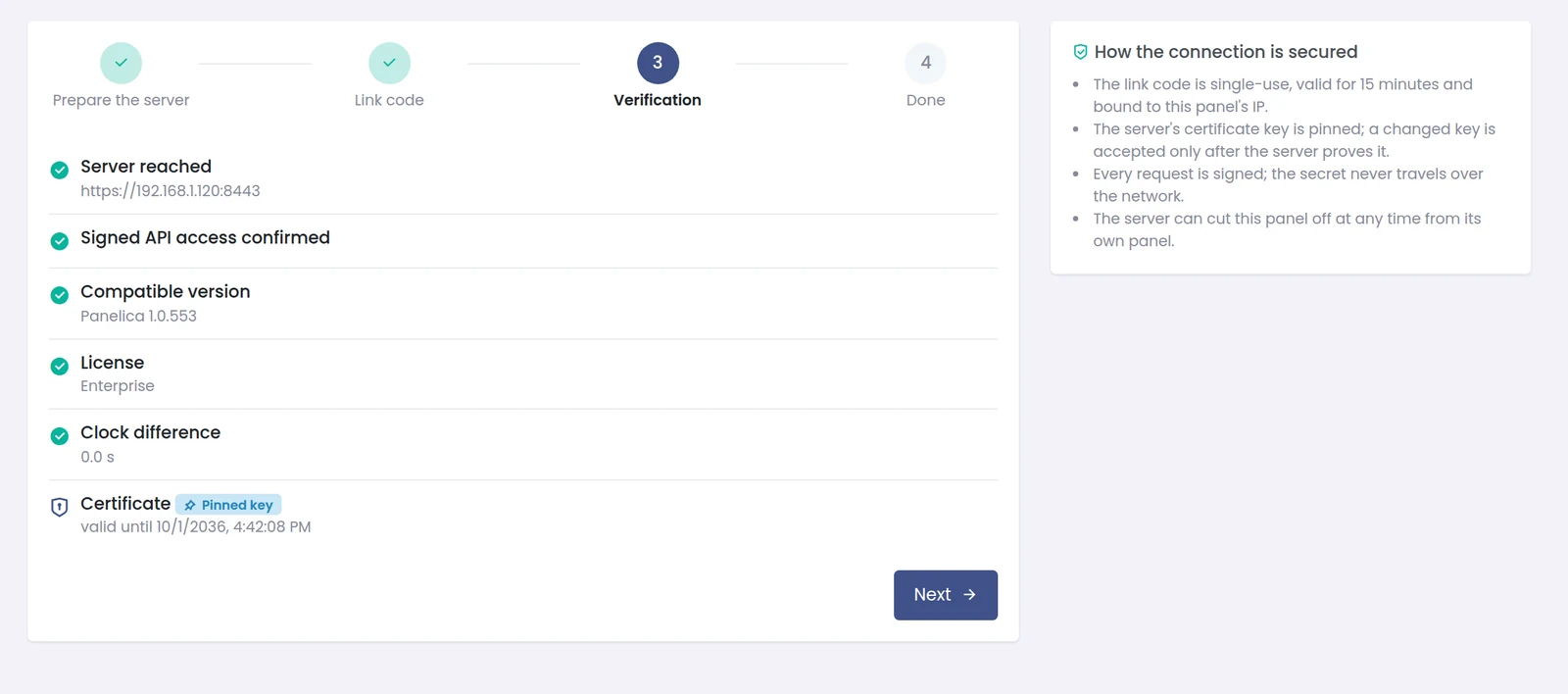
The master then checks: server reached, signed API access, compatible version, license, clock difference and the TLS certificate (its key is pinned). All checks must pass.
Back on the node's Master Connection page, each connected master has a level:
Servers shows status, version, CPU, RAM, disk, network, accounts and last answer for every node, refreshed every 30 seconds. The eye button hides host names and IPs and masks names (first and last character only) for screen sharing.

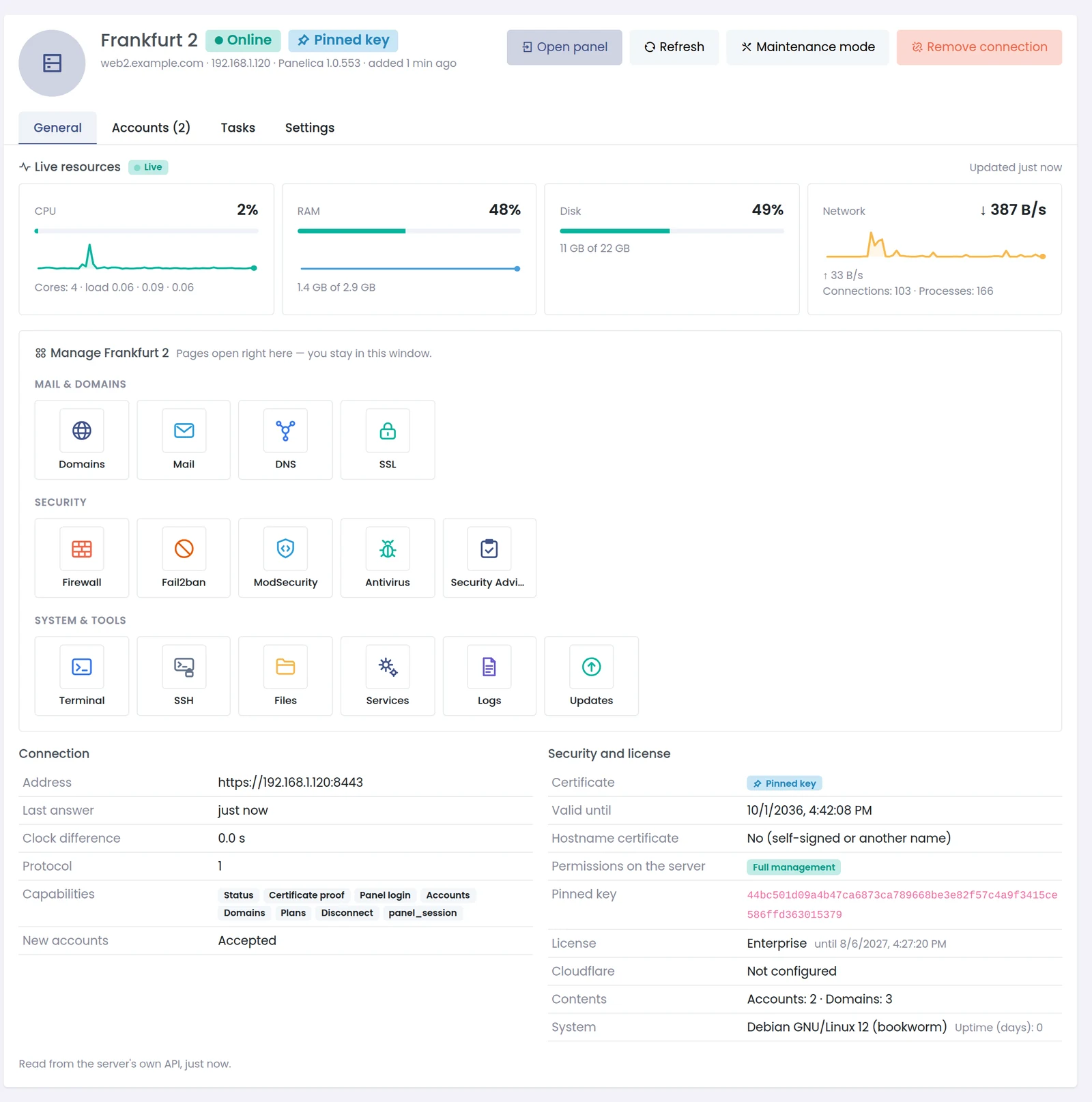
Open a server for live resources, connection and license details, and the pages you can manage in the master's window (domains, mail, DNS, SSL, firewall, Fail2ban, ModSecurity, antivirus, Security Advisor, terminal, SSH, files, services, logs, updates - depending on the level). Buttons on top: Open panel (log in to the node's own panel), Refresh, Maintenance mode (no new accounts) and Remove connection (also revokes the master's key on the node).
The server switcher in every page title switches the current page to a node (Full management) or opens its details (Limited).
Moving an existing account between servers is not part of this release yet.
Full write-up with the security model explained: https://panelica.com/blog/multi-server-management-in-panelica-one-panel-for-all-your-servers
Availability: panelica-server 1.0.551 / panel-frontend 4.5.354 or later on the beta channel (Panel Settings > System Updates > Stable + Beta), on both master and nodes.
License: the master needs Enterprise (multi-server module); a node needs a paid license that includes server linking.
On the server you want to manage: Panel Settings > Master Connection > Create Link Code, or on its command line:
Bash:
panelica node link-codeOn the master: Servers > Add Server. Step 1 of the wizard reminds you to prepare the node; press Next, paste the code, set a name (and tags if you like) and choose whether new accounts may be placed on it. Press Connect.
The master then checks: server reached, signed API access, compatible version, license, clock difference and the TLS certificate (its key is pinned). All checks must pass.
Back on the node's Master Connection page, each connected master has a level:
- Full management - accounts, domains and login, plus mail, DNS, SSL, Cloudflare, security settings, logs, services and FTP.
- Limited - accounts, domains and login only.
Servers shows status, version, CPU, RAM, disk, network, accounts and last answer for every node, refreshed every 30 seconds. The eye button hides host names and IPs and masks names (first and last character only) for screen sharing.
Open a server for live resources, connection and license details, and the pages you can manage in the master's window (domains, mail, DNS, SSL, firewall, Fail2ban, ModSecurity, antivirus, Security Advisor, terminal, SSH, files, services, logs, updates - depending on the level). Buttons on top: Open panel (log in to the node's own panel), Refresh, Maintenance mode (no new accounts) and Remove connection (also revokes the master's key on the node).
The server switcher in every page title switches the current page to a node (Full management) or opens its details (Limited).
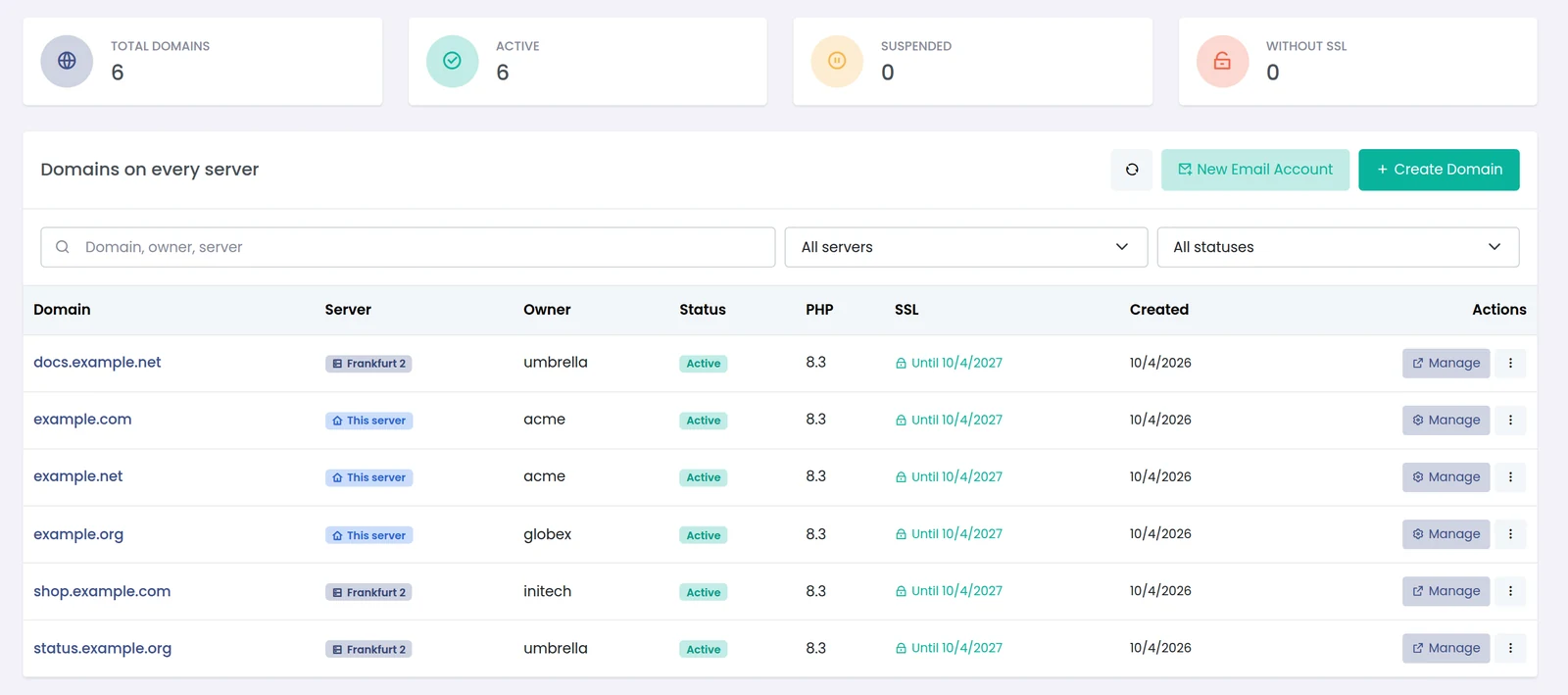
- Domains on every server and Email accounts on every server list everything with a server badge and a server filter.
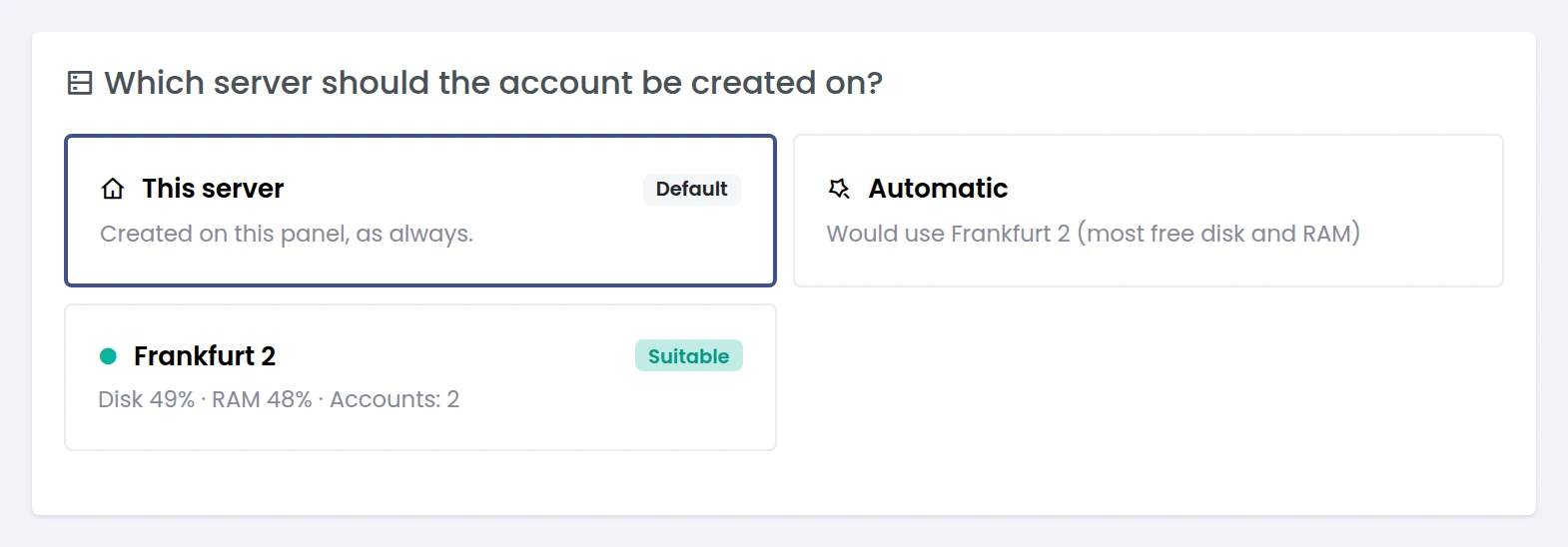
- Create User asks where the account goes: this server, a specific node, or Automatic - the node with the most room by disk + RAM use (then fewest accounts), skipping nodes in maintenance, not accepting accounts, not answering or above their disk threshold.
- The code is rejected - codes last 15 minutes and work once. Create a new one on the node.
- Server shows "not responding" - the reason is shown in the list. Check that the master can reach the node's panel address (port 8443 by default) and that both clocks are correct.
- Node on an older version - update the node; the master reports an unsupported protocol instead of failing silently.
- Certificate changed - a new key is accepted only after the node proves it over the signed connection.
Moving an existing account between servers is not part of this release yet.
Full write-up with the security model explained: https://panelica.com/blog/multi-server-management-in-panelica-one-panel-for-all-your-servers